.svg)


.svg)




.png)
At first glance, a POS transaction seems pretty basic. The customer pays, the sale is completed, and a receipt is issued. But that brief exchange does more than just take payment. It captures the payment method, records the items sold, refreshes your reporting, and, in many businesses, feeds directly into VAT records and the daily running of the business.
That is more important than it may sound. For a cafe, salon, retail store, or food truck, each transaction affects how accurately sales are tracked, payments are matched, stock is updated, and compliance is maintained. When the setup is working well, it all feels effortless. When it is not, even a normal sale creates avoidable work in the background.
How a POS Transaction Works: Step by Step
The whole thing takes a few seconds from a customer’s perspective, but behind the scenes there are several stages happening in sequence.
1. The Sale Is Initiated
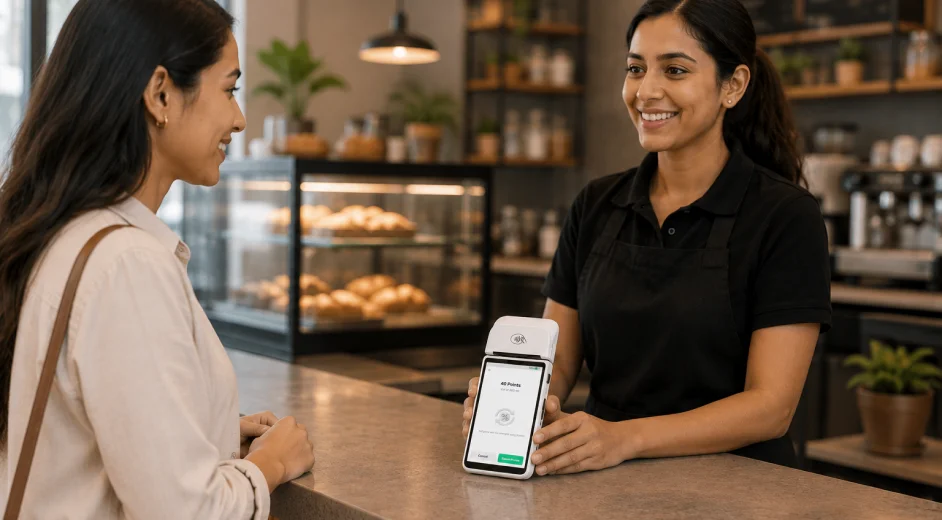
You or your cashier selects the product or service on the POS and the system calculates the total. On a card machine running POS software, this happens directly on the device without needing a separate tablet or screen.
2. The Customer Pays
The customer pays using cash, a debit or credit card, or a digital wallet like Apple Pay or Google Pay. For card and wallet payments, the terminal sends the transaction details through the card network to the customer's bank for approval.
3. Authorization Is Confirmed
The bank checks that funds are available and sends back an approval, usually within a couple of seconds. For cash, there is no authorization step, but the amount still gets logged in your system the same way.
4. A Receipt Is Issued
Once payment is approved, a receipt is issued. If your business is VAT-registered, that receipt must function as a VAT-compliant tax invoice (typically a simplified tax invoice), not just a basic payment slip.
5. The Transaction Is Recorded
The POS system logs the transaction straight away. If you have inventory tracking active, your stock count adjusts immediately. The sale shows up in your reports, and the revenue is on record. You do not need to do anything else.
Types of POS Transactions
POS transactions are not all the same type. The category affects how the payment is processed, what fees apply, and how the record appears in your system.
POS Transactions and VAT Compliance in the UAE
VAT was introduced in the UAE in January 2018 at a standard rate of 5%. For any business that is registered with the FTA, every taxable sale creates a VAT obligation, and the POS transaction is where that obligation needs to be captured correctly.
Your POS system should be doing the heavy lifting here. Every time a sale goes through, it should apply VAT correctly, show it clearly on the receipt or tax invoice, and keep the record stored and ready for your VAT return filing cycle. Once registered for VAT in the UAE, businesses are required to file returns for each tax period within 28 days from the end of that period.
Under UAE VAT law (Article 59 of the Executive Regulations), a simplified tax invoice, which covers many day-to-day retail and F&B transactions, must include:
- The words “Tax Invoice” clearly displayed
- Your business name and Tax Registration Number (TRN)
- The date of issue
- A description of the goods or services supplied
- The total amount payable inclusive of VAT, with the VAT shown as a separate line
If your card machine is not generating these automatically, you are filling in the gaps manually, which adds time and increases the risk of errors. It is worth checking before your next VAT return deadline, not after.
What Happens to Your Transaction Data?
Each sale generates a data point, and those data points add up quickly. The question is whether your system is doing something useful with them.
A POS system that is set up properly uses each transaction to:
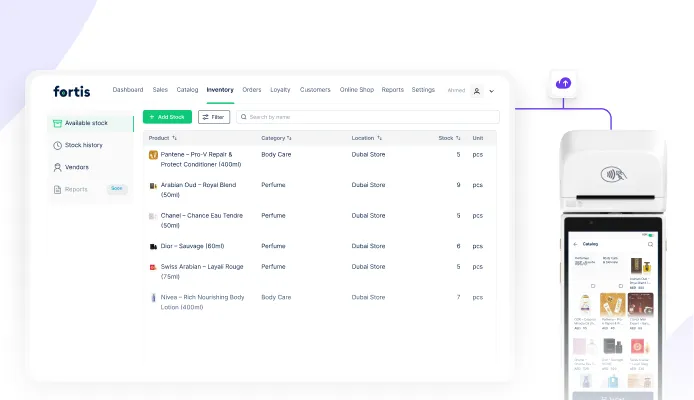
- Update your inventory automatically after each sale
- Track which products are selling and which are not
- Attribute sales to specific employees or locations
- Produce daily, weekly, and monthly sales reports
- Prepare the data you need for VAT filing
- Build your customer database when contact details are collected at checkout
Without that setup, you are reconciling sales manually at the end of each shift, cross-checking payment method totals, and hoping nothing was missed. With it, the numbers are already there the next morning.
POS Transactions Across Different Business Types
The mechanics of a POS transaction are the same across industries, but the flow at the counter looks quite different depending on the type of business you run.
Cafes and Restaurants
In a cafe or restaurant, the transaction starts the moment an order is placed. The order goes through to the kitchen, the bill builds as items are added, and payment happens at the end using card, cash, or a digital wallet. In a fine dining setup, guests often prefer to settle from their own phones, splitting the bill by item or between the table, without waiting for a member of staff to bring the terminal over.
Retail
In retail, a transaction usually starts with a barcode scan at the counter. The system pulls up the item, applies the price, calculates the VAT, and prints the receipt. If you have a loyalty program running, the customer’s points update at that same moment, without any extra step on your end.
Services
For a salon, a gym, or a padel court, a typical transaction means selecting the right package from the service catalog on the terminal, confirming the price with the customer, and taking payment. The receipt comes out with the service name, total, and VAT broken down. It takes a minute, and the record is already in your system.
What Makes a Good POS System for UAE SMEs?
Not every card machine is built the same way. Some only process payment and leave everything else to you. Others are connected to your catalog, your inventory, and your reports from the moment a sale goes through. If you are evaluating options, here is what actually makes a difference:
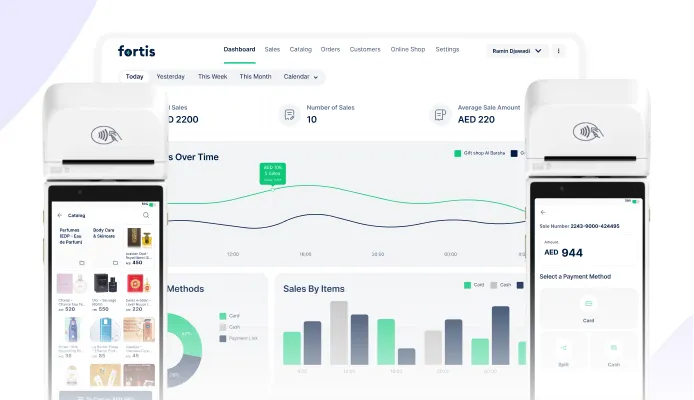
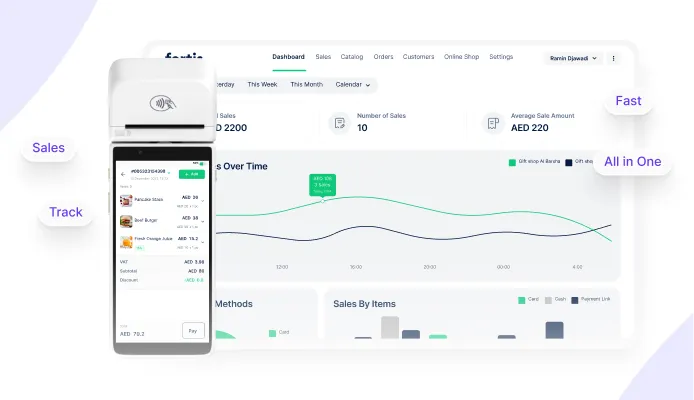
One option worth knowing about in the UAE context is Fortis SmartPOS, which works by converting a standard card machine into a full POS system. Once converted into a SmartPOS, you can access your catalog, take orders, accept card, cash, and digital wallet payments, capture customer information and even generate FTA-compliant tax invoices on every sale. All data gets synced to the Fortis dashboard.
Frequently Asked Questions
What is a POS transaction in simple terms?
It’s the moment a customer pays you for something, whether that’s a product or a service. The payment goes through, a receipt is issued, and the sale is automatically saved in your system. It covers cash, card, and digital wallet payments, and it can happen at a counter, a terminal, or anywhere you have a POS device.
Do UAE businesses need to issue a VAT receipt for every POS transaction?
Yes. If you are VAT-registered with the FTA, you must issue either a tax invoice or a simplified tax invoice for every taxable sale, depending on the transaction type and value.
What is the difference between a POS transaction and a payment gateway transaction?
A POS transaction is in-person: the customer is at your counter or table, paying through a physical terminal. A payment gateway transaction is online: the customer types their card details into a website or app. Both are sales, but they run on different infrastructure, carry different processing fees, and have different compliance considerations.
What happens if a POS transaction is declined?
It means the customer’s bank refused to approve the payment, usually because of insufficient funds, a card limit, or a connectivity issue at that moment. The sale does not go through, and no receipt is issued. The transaction may still appear as a failed attempt in the system, but it is not recorded as completed revenue. The customer can try a different card or pay in cash instead.
Can a POS system handle refunds and exchanges?
Yes, and it should be straightforward. You find the original transaction in your system, reverse it fully or partially, and a refund receipt is generated automatically. If your inventory tracking is active, the stock count adjusts too. Both cash and card refunds are logged separately in your records so nothing falls through the gaps.