.svg)


.svg)




[[shortcode1 title="Quick Answer:" description="To issue an FTA tax invoice from a POS system in the UAE, your system should automatically calculate and itemise VAT, display your business details and Tax Registration Number (TRN), and generate a tax invoice at the point of sale. A VAT-enabled POS system reduces manual invoicing, helps minimise calculation errors, and keeps transaction records organised for VAT reporting."]]
Every taxable sale your business makes in the UAE needs to be recorded properly for VAT purposes. If you are VAT-registered, UAE VAT rules generally require you to issue an appropriate tax invoice for taxable supplies, whether in the form of a full tax invoice or a simplified tax invoice depending on the transaction. That invoice should include key details such as your Tax Registration Number, the applicable VAT amount, and information about what was sold.
Most businesses understand this in principle. The challenge is doing it consistently across hundreds of transactions a day without manual effort. That is where your point-of-sale system either helps or creates risk.
This guide explains what an FTA tax invoice is, what must appear on it, and how a POS system can automate the process from VAT calculation to record keeping, without turning every checkout into an admin task.
What Is an FTA Tax Invoice?
An FTA tax invoice is a VAT document issued by a VAT-registered UAE business to record a taxable sale and show the VAT charged. It serves as the official record of a taxable transaction and confirms that VAT has been collected and applied at the correct rate.
A tax invoice is not the same as a simple receipt. A standard receipt acknowledges that payment was made. A tax invoice goes further: it records the seller's identity, the Tax Registration Number, the goods or services sold, the VAT rate applied, and the total amount including VAT. It is the document the Federal Tax Authority uses to verify that businesses are collecting and remitting the correct amount of tax.
For your customers who are also VAT-registered, your tax invoice is the document they use to reclaim input VAT on their own filings. Issuing an incorrect or incomplete invoice affects both sides of the transaction.
There are two types of tax invoices under UAE VAT law. A full tax invoice is generally required for B2B transactions. Traditionally, simplified tax invoices have been used for many lower-value retail and consumer transactions in the UAE. However, businesses should verify current invoicing requirements with the Federal Tax Authority, particularly as UAE e-invoicing regulations continue to develop.
What Information Must Appear on an FTA Tax Invoice in the UAE?
Every FTA-compliant tax invoice must contain key information required by the Federal Tax Authority, including:
- Business name
- Tax Registration Number (TRN)
- Invoice date
- Description of goods or services
- VAT information
- Total amount payable
The exact requirements depend on whether you are issuing a simplified tax invoice or a full tax invoice. For a detailed breakdown of the mandatory fields and when each invoice type applies, see our guide to Simplified Tax Invoice UAE: What It Must Include.
Note: Businesses should always verify current invoicing requirements directly with the Federal Tax Authority, as VAT regulations may be updated.
Can a POS System Automatically Generate FTA Tax Invoices?
Yes. A VAT-compliant POS system can generate a fully structured FTA tax invoice on every transaction without any manual input from your team.
Here is the difference between doing this manually versus using a POS:
The operational difference compounds quickly. A business handling 80 transactions per day cannot realistically verify VAT accuracy on every receipt manually. A POS system eliminates this entirely.
Automation also reduces the risk of under-declaring VAT. When VAT is calculated by the system rather than by a person, the numbers remain consistent regardless of who is working the till.
How to Issue an FTA Tax Invoice from a POS System: Step by Step
Issuing a compliant tax invoice from a POS system is straightforward once the system is correctly configured. Here is the process from initial setup to handing the invoice to a customer:
- Configure VAT settings. Before processing any transactions, access your POS settings and enter your Tax Registration Number, business name, and set the VAT rate to 5%. This information will appear on every invoice the system generates.
- Add your products or services to the catalog. Enter each item with a clear description, price, and the applicable VAT treatment. For most UAE businesses, all items are standard-rated at 5%.
- Record the transaction at checkout. When a customer is ready to pay, select the items from your catalog on the POS device. The system calculates the subtotal, applies VAT, and shows the total amount automatically.
- Accept payment. Process the payment — whether by card, cash, or digital wallet — directly from the POS. The payment method is recorded alongside the transaction.
- Verify the VAT calculation on-screen. Before issuing the invoice, confirm the VAT amount shown is 5% of the taxable total. On a well-configured system, this step takes under three seconds.
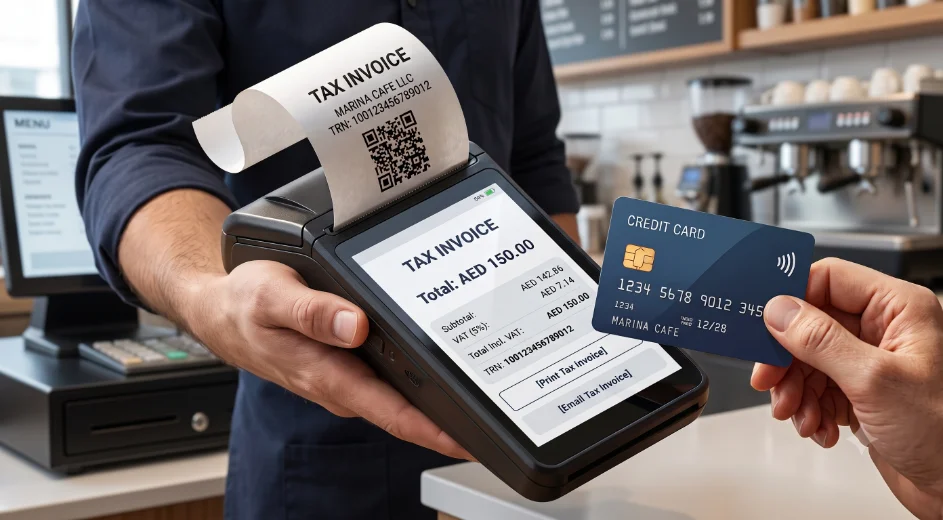
- Generate and issue the invoice. The POS prints or sends a digital receipt that includes all required FTA fields: your business name, TRN, invoice date, item description, VAT amount, and total. The customer receives this at the point of sale.
- Store the transaction record. Every completed transaction is automatically saved in your POS dashboard. You do not need to file paper copies.
- Export records for VAT filing. At the end of each tax period, export your sales data from the dashboard. Most VAT-compliant POS systems allow you to filter by date range and export a summary ready for your accountant or filing submission.
Common Tax Invoice Mistakes UAE Businesses Make
Most VAT compliance problems in small and medium-sized UAE businesses come from a small number of repeated errors. Here are the most common, and how a POS system helps reduce each one:
Missing TRN on the Receipt
A receipt without a Tax Registration Number is not a tax invoice under UAE law. Customers who are VAT-registered cannot use it to reclaim input VAT, and it will not satisfy an FTA audit. A VAT-configured POS prints the TRN on every receipt automatically.
Incorrect VAT Calculations
Applying VAT to the wrong base amount, rounding incorrectly, or using the wrong rate are common manual errors. When VAT is calculated by your POS system, the same logic applies to every transaction without variation.
Issuing Non-Compliant Receipts
Some businesses use receipt printers that produce payment confirmations rather than tax invoices. These may show a total and a payment method but omit the TRN, VAT line item, or invoice label. The document looks like a receipt but does not meet FTA requirements.
Relying on Manual Spreadsheets for Invoicing
Businesses that record sales manually in spreadsheets and create invoices separately introduce delays, inconsistencies, and an increased risk of incomplete records. A POS system generates the invoice at the moment of sale, with no separate step required.
Incomplete or Vague Product Descriptions
Descriptions such as 'services' or 'goods' on a tax invoice do not meet FTA standards. Items must be described clearly enough that the transaction can be identified. This is a straightforward fix in your POS product catalog, but it requires attention when items are initially added.
Missing Transaction Records
UAE businesses are required to maintain VAT records for at least five years. Businesses that rely on printed receipts without a digital backup risk losing records to damage or loss. A cloud-based POS stores every transaction automatically, accessible from any device.
FTA Tax Invoice POS UAE: What to Look for in a VAT-Compliant System
When evaluating a POS system for VAT compliance in the UAE, the most important question is whether the system handles tax invoicing automatically rather than relying on manual configuration or post-sale adjustments.
Use this table to assess any system you are considering:
How Fortis SmartPOS Supports Tax Invoice Compliance
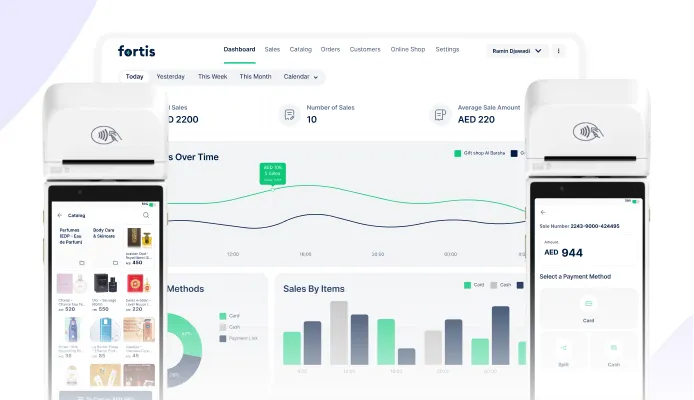
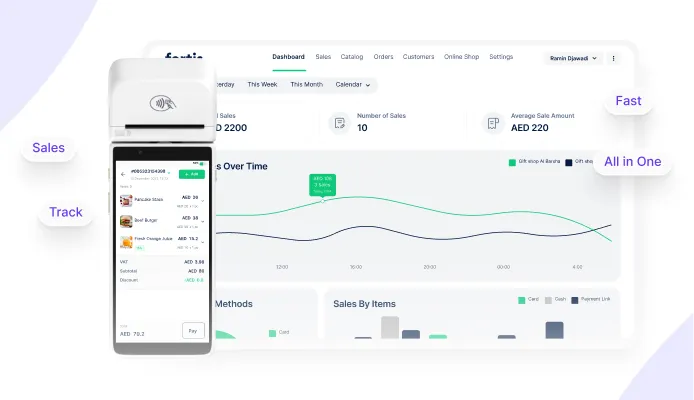
For UAE SMEs, the main value of Fortis SmartPOS is that invoicing, payment, and transaction records happen in the same flow. This helps reduce separate admin work after the sale and gives the business a clearer record for reporting.
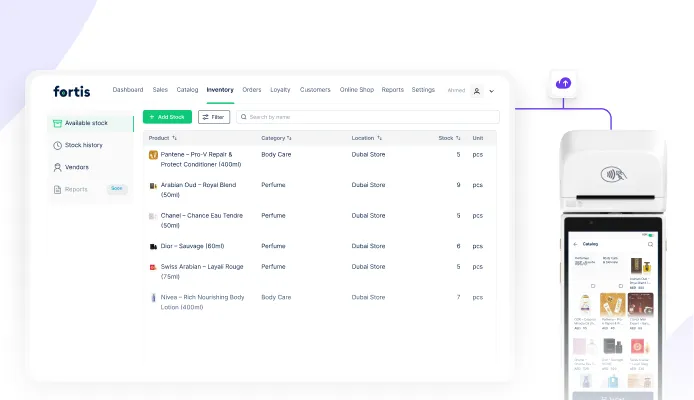
Fortis SmartPOS is a UAE-based POS solution designed for small and medium-sized businesses across retail, food and beverage, and service sectors. It runs on a standard card machine and converts it into a complete point-of-sale system with built-in VAT compliance features.
Here is what Fortis SmartPOS does in the context of tax invoice compliance:
- Generates FTA-compliant simplified tax invoices on every transaction automatically.
- Applies and itemises 5% VAT without manual input from your team at checkout.
- Records all transactions in the Fortis merchant dashboard, accessible in real time from any device.
- Allows you to export sales data for quarterly VAT filing and accountant review.
- Records refunds alongside transaction history, making reporting and reconciliation easier.
- Supports retail, F&B, and service businesses — including cafes, restaurants, salons, gyms, and padel courts.
Note: Fortis SmartPOS generates FTA-compliant simplified tax invoices, but businesses remain responsible for verifying their own VAT registration status and compliance obligations. We recommend consulting the Federal Tax Authority or a qualified tax advisor for guidance specific to your business.
Conclusion
Tax invoice compliance in the UAE is not optional and it is not complicated when you have the right tools in place. The FTA requires VAT-registered businesses to issue a compliant tax invoice on every sale, with specific fields that cannot be omitted.
Manual processes introduce unnecessary risk. Miscalculated VAT, missing TRNs, and incomplete records are common problems that create filing difficulties and audit exposure. A VAT-compliant POS system reduces these risks by automating the process at the point of sale, helping each invoice follow the same configured format from the moment a transaction is completed.
If you are evaluating POS systems for your UAE business, focus on the fundamentals first: automatic VAT calculation, tax invoice generation, transaction reporting, and record keeping. Choosing a system that handles these processes efficiently can reduce administrative work and make day-to-day VAT management significantly easier.
Frequently Asked Questions
What is the difference between a receipt and an FTA tax invoice?
A receipt confirms that a payment was made. An FTA tax invoice is a legally required document that includes your Tax Registration Number, a VAT line item at 5%, a full item description, and the label 'Tax Invoice.' A receipt without these fields does not meet Federal Tax Authority requirements, even if the total is correct.
Do all UAE businesses need to issue FTA tax invoices?
Only businesses registered for VAT in the UAE are required to issue tax invoices. VAT registration is generally mandatory once taxable supplies exceed AED 375,000 annually, while voluntary registration may be available from AED 187,500. Businesses should verify current thresholds directly with the Federal Tax Authority.
Can I use my existing card machine to issue FTA tax invoices?
Yes, if the right software is running on it. Some POS platforms, including Fortis SmartPOS, are designed to run on existing Network International card machines without requiring new hardware. This reduces setup cost and means you can start issuing compliant tax invoices without replacing equipment you already have.
What should I check before choosing a VAT-compliant POS system?
Confirm that the system automatically generates FTA-compliant invoices with your TRN pre-configured, that VAT is applied and itemised at 5% without manual input, and that you can export transaction records for quarterly filing. Ask the vendor to show you a sample invoice during the demo — not a screenshot, but a live transaction output.
Is a cloud POS system better for VAT reporting?
For most UAE SMEs, yes. A cloud-based POS stores all transaction records automatically, allows you to access sales data from any device, and makes it straightforward to export summaries for VAT filing. Local or offline-only systems require manual backup and create more risk if records are lost or damaged.
What is the biggest tax invoicing mistake small businesses make?
The most common mistake is issuing a payment receipt instead of a proper tax invoice. Many businesses use receipt printers that produce a payment confirmation without the TRN, VAT breakdown, or 'Tax Invoice' label. The result looks like an invoice but does not satisfy FTA requirements. Switching to a VAT-compliant POS system resolves this immediately.